
Checking Criminal History in San Jose
Start with the office that made or filed the record. The San Jose Police Department keeps incident and arrest reports. The county Sheriff's system shows current custody. Filed San Jose criminal cases belong to the Superior Court at the Hall of Justice, not a city court. California DOJ provides fingerprint-based review of a person's own statewide record, but no public statewide name search.
- Ask SJPD for a report created by its officers.
- Use the county inmate search for current custody.
- Search the court portal by name and birth date or filing date.
- Request named documents from the Hall of Justice clerk.
- Use Live Scan and DOJ Record Review for your own state record.
A report, booking entry, and disposition answer different questions. None is the full San Jose record by itself.
SJPD Records on Mission Street
SJPD is at 201 W. Mission Street, San Jose, CA 95110, with a non-emergency number of 408-277-8900. Its public channels cover reports, records, crime data, online reporting, and tips. For a request, give the case number when known, describe the item, and identify any relationship required for release.
SJPD is the first source for an event investigated by city officers. It cannot supply the court's complaint, plea, sentence, or minute orders, and it does not run the county custody search.
San Jose Police Department
201 W. Mission Street
San Jose, CA 95110
408-277-8900
Use official reports and records channels.
San Jose Police Department Records
Police files document calls, officer response, investigation, and arrest. Release depends on the requester's role, the case status, privacy law, and exemptions. Juvenile facts, victim contact details, medical facts, or information that could harm an active investigation may be withheld or redacted.
Online reporting creates a report for eligible events; it does not search San Jose criminal history. P3 Tips Mobile accepts anonymous tips, images, video, and two-way dialogue. It is not a report request, inmate lookup, or warrant search. SJPD warns it is not for crimes in progress.
San Jose CrimeMapping and NIBRS
SJPD's Crime Stats and Maps resources show patterns rather than personal histories. CrimeMapping supports address, intersection, and street searches with approximate event locations. Approximate points and reporting delays mean the map cannot replace an official report.
The NIBRS dashboard displays Group A offense rows, monthly columns, and totals. Since it is rolling, consult the live display instead of a frozen partial-year count.
| CrimeMapping | Approximate place-based event mapping. |
|---|---|
| NIBRS dashboard | Official monthly offense categories and totals. |
| Police report | Specific event record, subject to release law. |
| Court file | Filed charge, hearings, outcome, and sentence. |
San Jose Arrests and Bookings
An SJPD arrest can create four trails: the police report, a county booking record when jail intake occurs, a Hall of Justice case if prosecutors file, and a DOJ event when fingerprints and dispositions are reported. Each updates on its own schedule.
Use Who's in Custody for present jail status or call 408-299-2306. That result is not a lifetime arrest history. Ask SJPD for its report and use the county arrest lookup for the wider access chain.
Local flow: SJPD arrest › county booking › District Attorney review › Hall of Justice filing › DOJ disposition
P3 Tips Is Not Records Search
P3 Tips sends information to investigators while preserving anonymity. It can carry images or video and allow a reply. Those functions do not retrieve a police file, confirm a filing, show custody, or reveal criminal history.
Use SJPD records for a copy, the court portal for a filed case, and the county inmate search for custody. Separating these tools prevents a tip from being mistaken for a record request.
Immediate danger: P3 Tips and online reporting are not for crimes in progress. Use emergency services for an urgent response.
San Jose Hall of Justice Records
San Jose has no municipal criminal court for these records. The Superior Court routes San Jose criminal cases to the Hall of Justice, 190 W. Hedding Street, San Jose, CA 95110. The clerk's criminal line is 408-808-6611; records questions may go to sscriminalrecords@scscourt.org.
| Court | Santa Clara Superior Court, Hall of Justice. |
|---|---|
| Cases | San Jose criminal filings and proceedings. |
| Lookup | Portal for 2004-forward indexes; clerk microfiche for older cases. |
| File | Complaint, docket, pleas, disposition, sentence, and public minute orders. |
| Copies | Request named documents by case number; state when certification is needed. |
When San Jose Cases Stay Offline
The portal indexes criminal cases but generally does not place filed documents online. Search 2004-forward matters using name plus date of birth, or name plus filing month and year. Once the case number is found, request the complaint, docket, sentencing paper, or a minute order by date.
Pre-2004 cases require a clerk microfiche search with name, date of birth, and filing year. A mail request needs a self-addressed stamped envelope, a check to Clerk of the Superior Court, and the case number on the memo line. A search longer than ten minutes may incur a fee.
San Jose Federal Criminal Records
Federal prosecutions do not appear in the county portal. The Robert F. Peckham Federal Building and United States Courthouse at 280 South 1st Street houses the Northern District's San Jose Clerk's Office. Federal dockets use PACER.
The official federal courthouse page identifies the separate location.
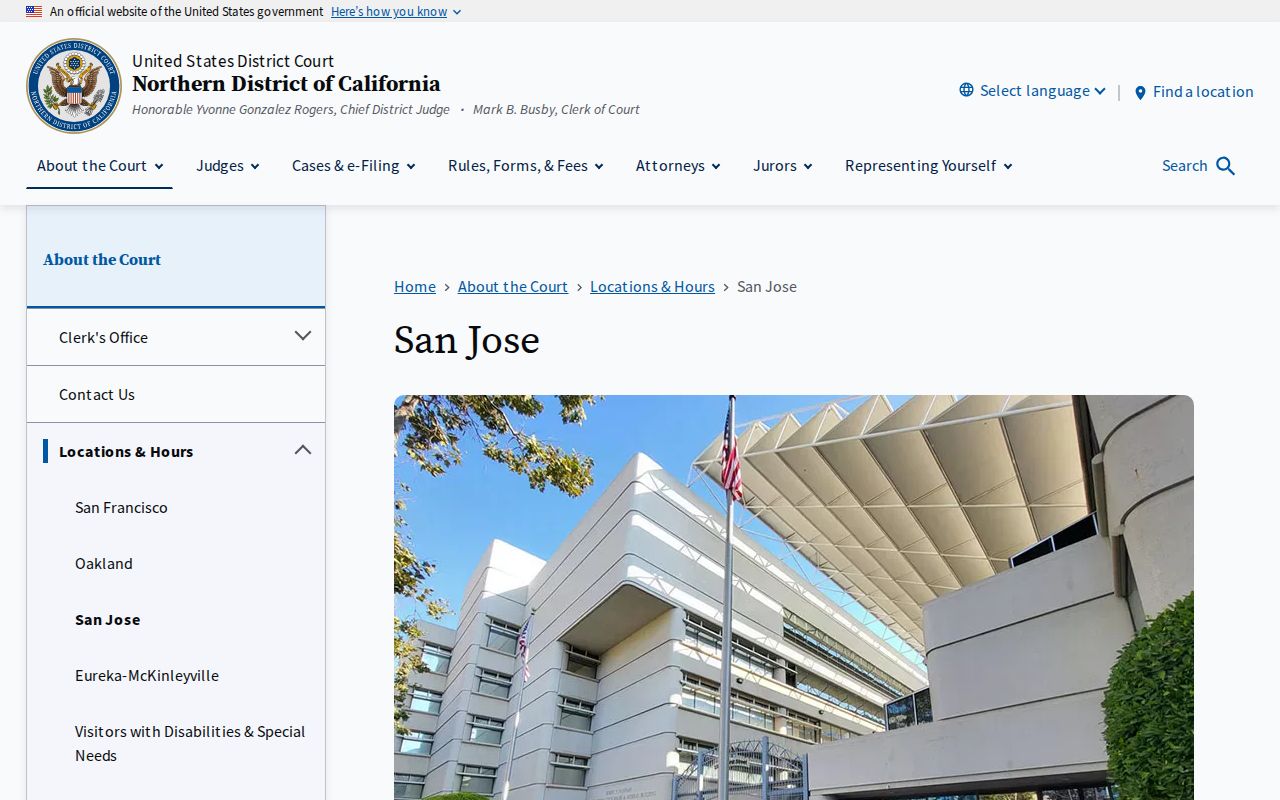
The separate federal system explains why a county search can return no result for a federal case.
Where San Jose Records Go
SJPD retains its report. County jail staff hold booking data. The District Attorney decides whether to file, the Hall of Justice holds the case, and reportable fingerprints and outcomes feed California DOJ. Follow the record to its current custodian.
Record flow: San Jose Police Department › Santa Clara County jail and District Attorney › Superior Court › California Department of Justice
Recent events start with SJPD and custody. Filed cases start with the court. A personal statewide review starts with DOJ Live Scan.
San Jose State Citation Bookings
Some records begin outside SJPD. The Sheriff's Records Division documents informal bookings for certain San Jose State University Police and CHP citations. Fingerprints may be required so charges reach the court calendar and DOJ or FBI repositories.
An informal booking can occur without a jail stay. A fingerprinted event may not show as current custody. Seek the report from the citing agency and any filed case from the Hall of Justice.
Public Access Rules in San Jose
The California Public Records Act governs requests for non-court SJPD records, subject to exemptions. Court files follow court rules. Rule 2.400 provides clerk inspection while originals stay in custody. Rule 2.503 addresses electronic access while excluding sealed and confidential records.
The court restricts arrest reports with victim contacts, probation reports, domestic violence protective orders, O.R. reports, criminal-history data, and financial or medical facts. Ask for a specific public filing instead of an undefined full file.
Key Statutes:
California Public Records Act governs city police requests unless an exemption applies.
Rule 2.400 governs inspection through the clerk.
Rule 2.503 governs electronic court access and limits.
San Jose Report Release Limits
A request to SJPD should be narrow enough to identify the event and item sought. Give an incident number, date, place, and report type when available. The agency may need to confirm that the requester is a victim, involved party, authorized representative, or another person entitled to the material. A California Public Records Act request does not erase the separate privacy and investigation rules that govern police reports.
Redaction is not the same as a missing record. An agency may release part of a responsive document while masking protected facts. If the needed information is actually a filed complaint or judgment, switch to the Hall of Justice rather than repeatedly asking SJPD. If it is present custody, use the county jail source. This record-by-record routing is the most reliable way to check San Jose criminal records.
San Jose Charges After Arrest
The allegation recorded at arrest may change before a San Jose case reaches court. Prosecutors review the police referral and decide whether evidence supports filing, which charges fit, and whether more investigation is needed. The complaint is therefore the best source for charges formally brought in court. Later pleas, dismissals, trial findings, and sentencing orders appear in the case file.
This sequence protects against a common mistake: repeating the arrest charge as though it were the final outcome. A booking record proves that custody processing occurred, not that the charged conduct was proved. Read the docket through disposition. When the portal shows only an index, request the relevant complaint, minute order, and sentencing paper from the Hall of Justice clerk.
Note: A San Jose arrest is not a conviction, and the filed court charge may differ from the initial police allegation.
Hall of Justice Mail Requests
A mail request works best after the portal yields a case number. State the defendant name, case number, exact document, and relevant hearing date. Include a self-addressed stamped envelope and payment made to Clerk of the Superior Court, with the case number on the check memo line. If the copy must be certified, say so plainly because an ordinary copy and a certified copy are different products.
When no case number is known, provide the defendant's name, date of birth, and the years to search. The court warns that a clerk search taking more than ten minutes may have a search fee. Older San Jose matters can require microfiche, so an in-person clerk search may be more practical. The Hall of Justice criminal clerk can explain the current copy procedure without turning SJPD into a court-record intermediary.
San Jose Records Correction Paths
A suspected error should go to the office that owns the disputed field. Contact SJPD when its report has an identity or incident error. Contact the Hall of Justice clerk when the docket, disposition, or document index appears wrong. For a person's own California fingerprint history, obtain DOJ Record Review first, then use DOJ's challenge process for an inaccurate or incomplete state entry.
Bring source documents that show the conflict, such as a court order or certified disposition. A map marker or search-result screenshot is not as strong as the originating record. Corrections also take time to move between city, court, and state systems. Verify the changed field at each relevant source instead of assuming one update automatically revised every database on the same day.